Make the lesson yours
Write with Apple Pencil, annotate PDFs and photos, and add text, shapes, or equations to explain an idea your way.
Ultimate Teacher Whiteboard
Now available on the App Store for iPad
One canvas for the way you teach. Bring handwriting, worksheets, images, and equations together, then let students follow your lesson on their own iPads.
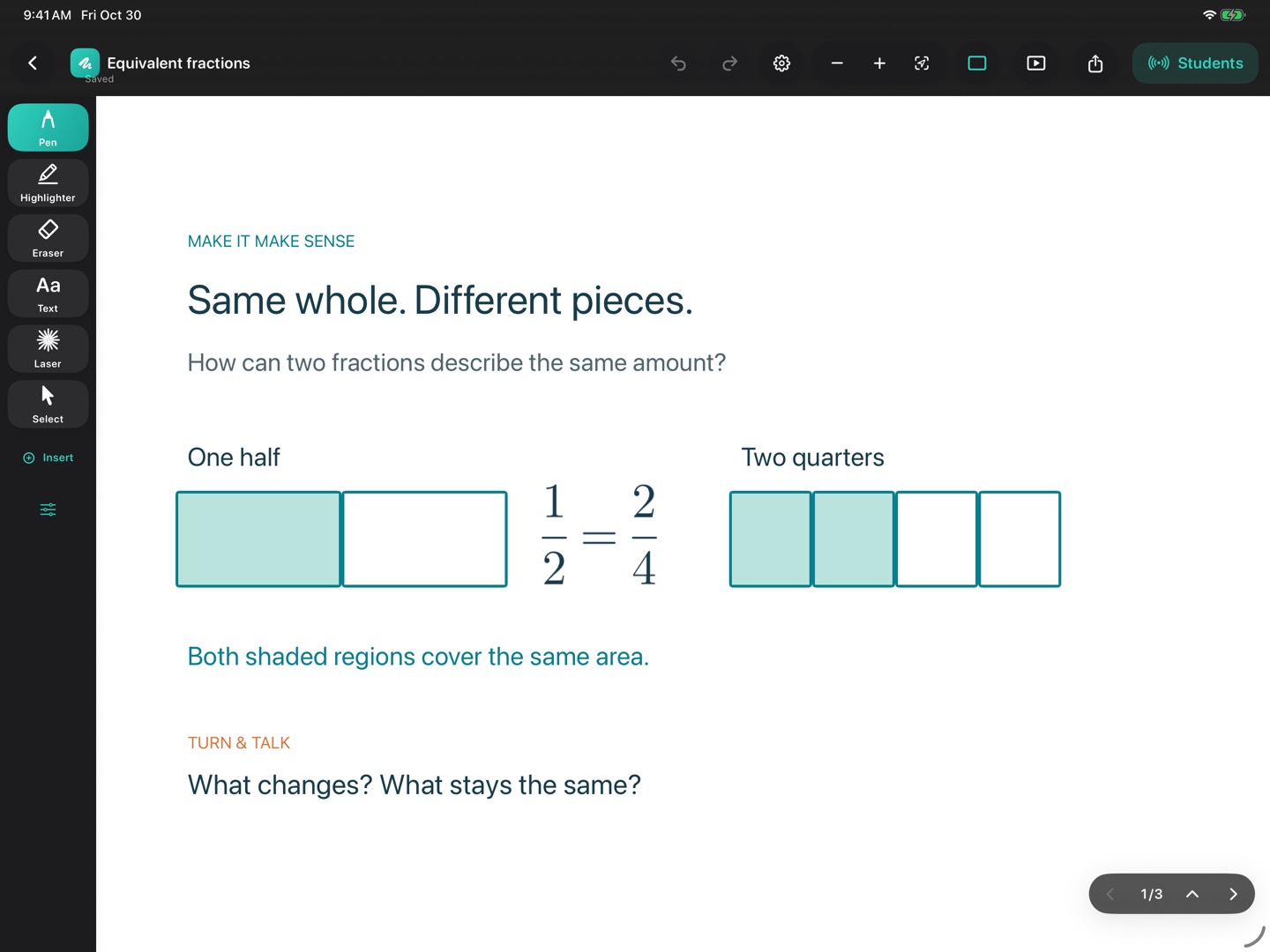
Write with Apple Pencil, annotate PDFs and photos, and add text, shapes, or equations to explain an idea your way.
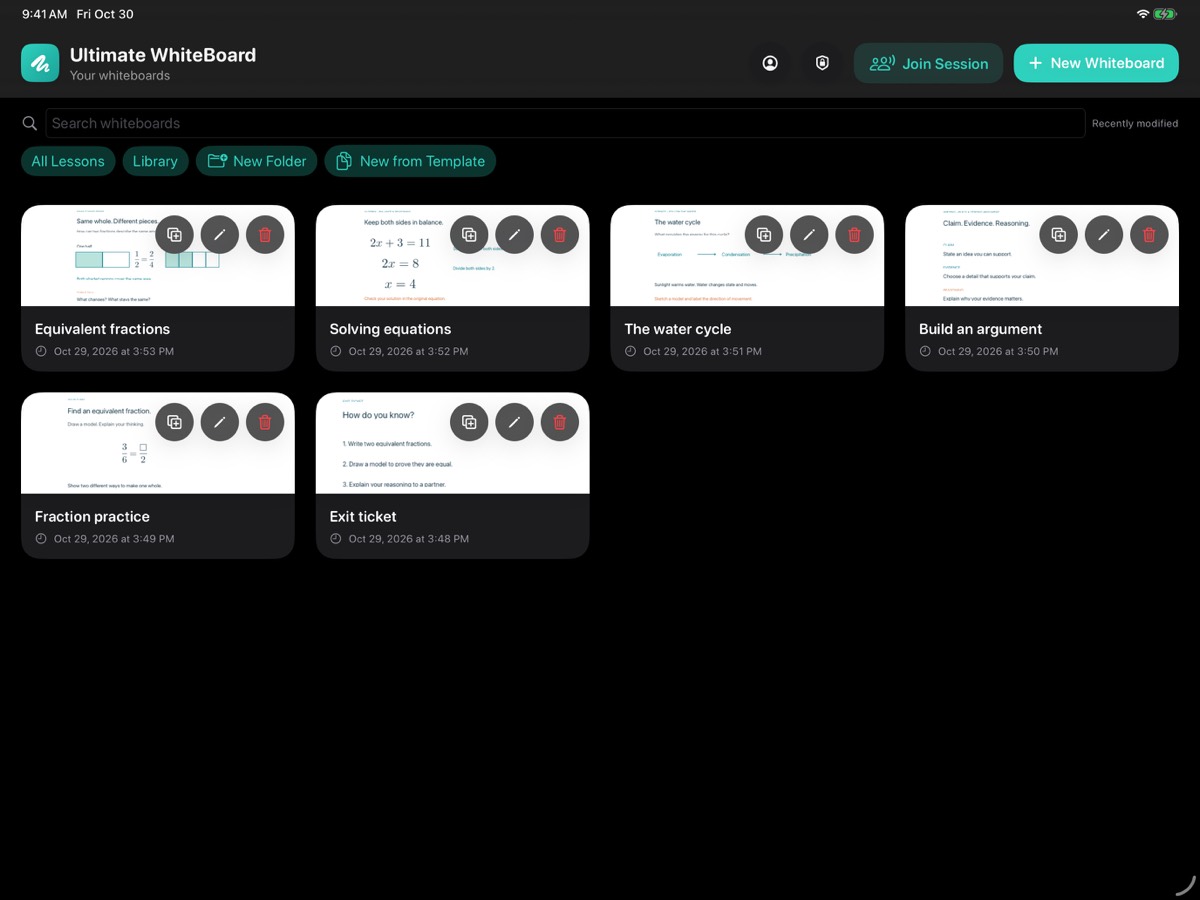
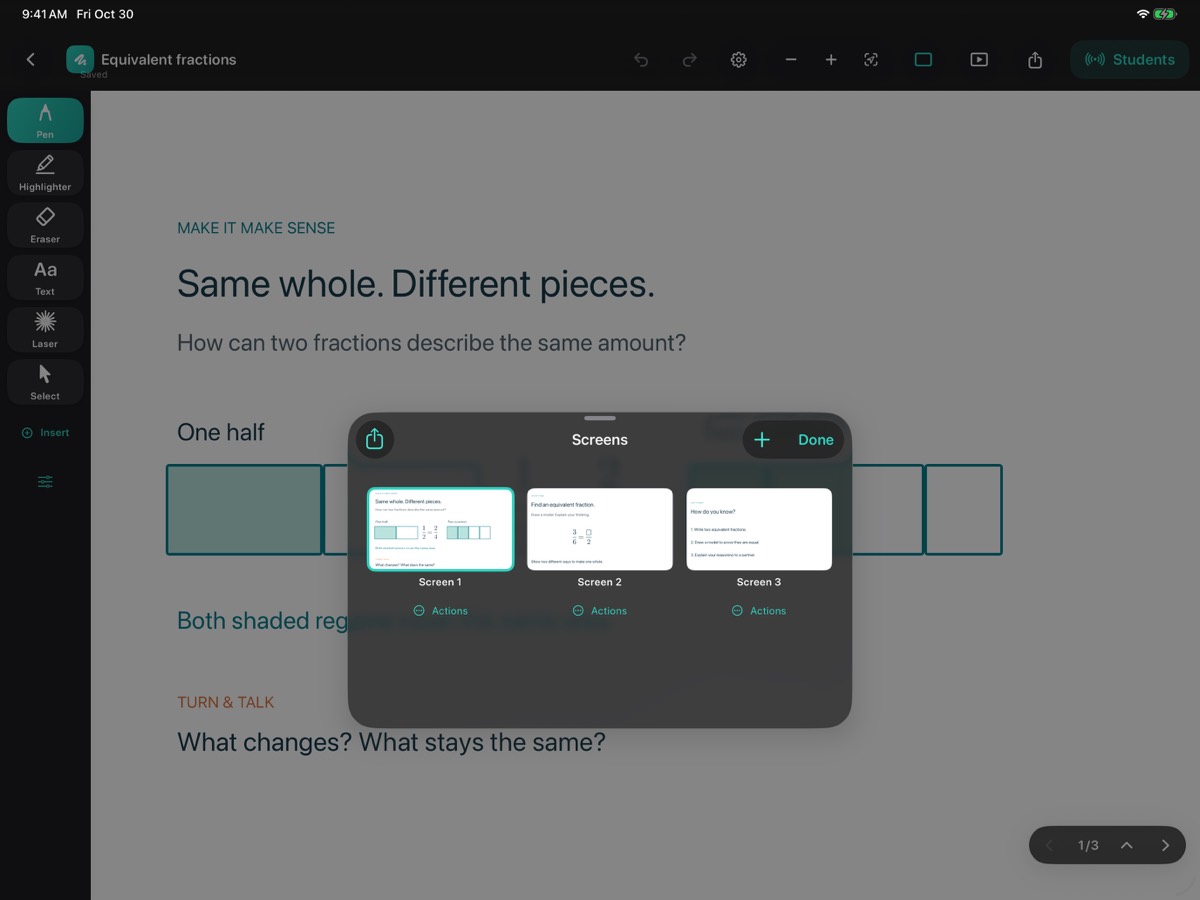
Build lessons with multiple screens, organize them in folders, and reuse templates for the next class.
Present on an external display, export lessons as PDFs, or share the current screen as an image.
Remote teaching
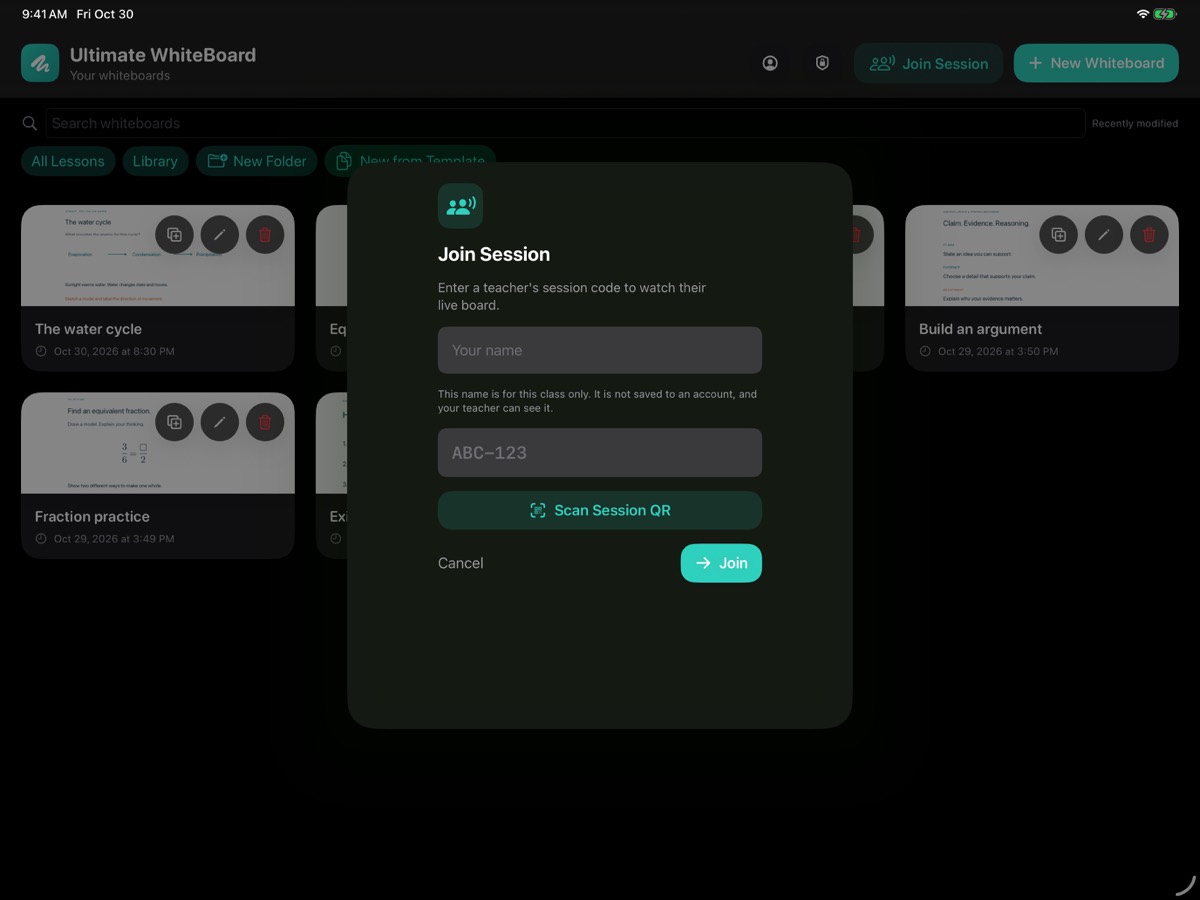
Bring students into a live lesson with a class code or QR code. They follow your board as you teach, with live audio to keep the explanation going.
Start a class and share its join code or QR code. Students join in the app without creating a teacher account.
Students follow the active lesson screen and your view of the board as you write, explain, and move through the lesson.
Student microphones start muted. The teacher can allow a student to speak and turn that permission off again.
Ready for the next class
For teachers and schools
Ultimate Teacher Whiteboard is available now. The separate School Edition is coming soon at the planned U.S. price below.
For individual teachers
$5.99 / month
or $39.99 per year
Start with 30 days of full teacher access. No subscription purchase is required to begin, and the free period does not automatically charge you.
After 30 days, a subscription is required to continue teaching. Purchased subscriptions renew automatically until canceled in your Apple account.
Download on the App StoreFor schools and districts
$49.99 one time
per school license
A separate School Edition with permanent whiteboard access and no annual subscription. Planned as an unlisted app for school purchasing through a direct link in Apple School Manager.
Prices shown in USD. Apple shows local pricing and applicable taxes at purchase. School Edition pricing is planned for launch.
For school technology teams
School Edition is coming soon at $49.99 per license in the U.S. We will publish its direct purchasing link here when it is available.
Purchasing link coming soon
Use the link we will provide on this page. School Edition is planned for unlisted distribution, so use its direct link instead of searching by app name.
Sign in with permission to buy content, open Apps and Books, and paste the full purchasing link into the search field.
Select Ultimate Whiteboard School, choose the location and quantity, and complete the purchase through Apple. The price is per license, with no annual subscription.
Assign the licenses and distribute the app through your school’s device-management system. Students can use the free Ultimate Teacher Whiteboard app to join classes.
You will not need to send us your district’s Organization ID to use this purchasing route.
No. Joining a teacher’s live class is free. Students use the app’s join screen and do not need a teacher account.
Teacher tools require an active subscription after the free period. Saved lessons are preserved. Student joining and account, privacy, and purchase controls remain available. The paid School Edition has no trial or subscription gate.
Yes. The planned School Edition is $49.99 per license, purchased once through Apple School Manager when available. This is a per-license purchase, rather than a single fee covering an entire district.
We plan to distribute School Edition as an unlisted app. It will not appear in normal App Store searches or recommendations. Schools will use the direct purchasing link on this page to find it in Apple School Manager. Unlisted apps can also be purchased by anyone who has the link.
Customer support
Questions about lessons, remote classes, subscriptions, or school purchasing? Email our customer-support inbox:
For technical help, include the app name, device model, app version, and a short description of the issue. Please remove personal or student information from any screenshots.